Most websites cost between $500 and $7,500 to build, plus $10 to $200/month in ongoing costs for web hosting, maintenance, and tools. The total cost depends on your platform, features, traffic expectations, and whether you’re building it yourself or outsourcing.
You can build a website using a DIY website builder (like Wix or Squarespace), self-hosted WordPress, or by hiring a professional developer or agency. Builders are fast and user-friendly, WordPress offers flexibility and control, and custom WordPress development gives you a tailored solution at a higher cost.
Hiring a professional web designer or agency costs $1,000 to $100,000+, depending on the site’s size, complexity, and business goals. Freelancers are typically cheaper for small projects, while agencies charge more but handle everything from planning and design to testing and support.
What Are The Main Ways to Build A Website?
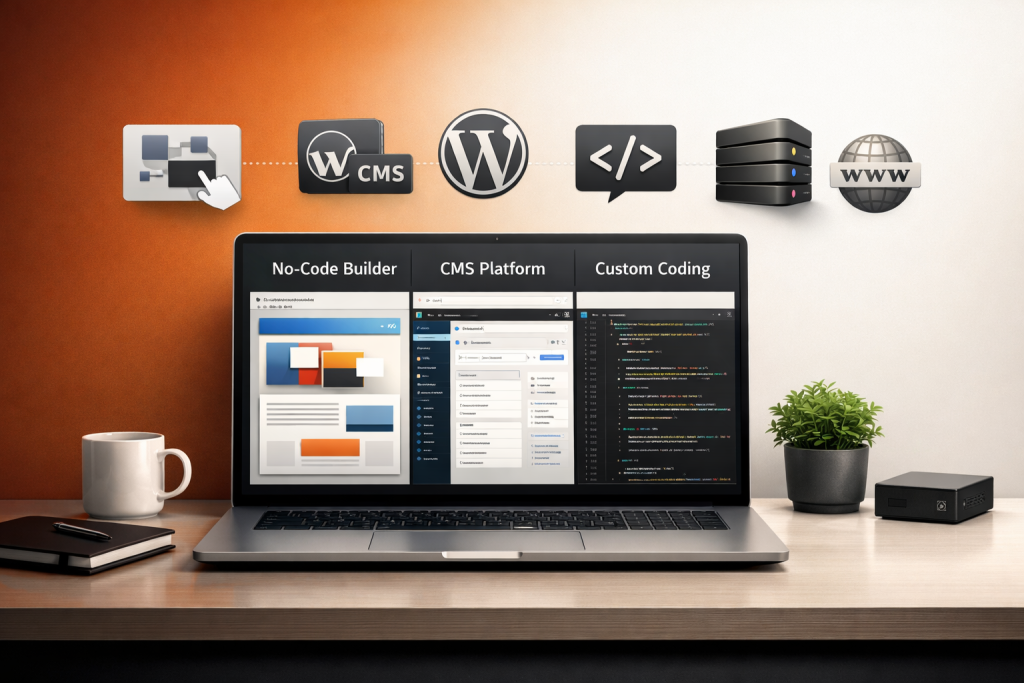
There are three main ways to make a website: using a DIY website builder, setting up a self-hosted WordPress site, or hiring a professional developer or agency for a custom build. Each path comes with different cost drivers and long-term pricing implications, so understanding them is key to budgeting effectively and managing the total cost of ownership (TCO).
The main ways to build a website are explained below:
- DIY Website Builders (e.g., Wix, Squarespace, Shopify, GoDaddy): These are all-in-one platforms that let you design and launch a website using templates and drag-and-drop tools, with no coding required. It ranges from $0 to $ 300 per month. The cost drivers for DIY website builders include plan pricing, template limits, app marketplace purchases, transaction fees, annual billing versus monthly billing, renewal price increases, and restrictions on free plans. It is best for Individuals, startups, or small businesses that need a fast, low-code solution with predictable website builder pricing.
- Self-Hosted WordPress (WordPress.org): WordPress is free to use, but building and running a site requires paid hosting, themes, and plugins, which can add up quickly. It costs £100 to £2,500+ per year. This cost is because of its shared hosting vs managed, domain name, SSL certificate, premium themes, plugin licenses, caching, security tools, and WooCommerce extensions. WordPress is best for businesses that need flexibility and control while managing their WordPress costs and growing over time.
- Professional Web Development (Freelancer or Agency): This route involves hiring a web developer or agency to build a tailored site from scratch, often with custom features and integrations. It costs £1,000 to £100,000+, depending on project scope. The cost is due to discovery and planning, scope of work, UI/UX design, QA testing, performance budget, accessibility compliance, agency pricing, and change requests. Professional web development is best for companies needing a bespoke site with high performance, long-term support, and a strong ROI—factoring in both CAPEX and ongoing OPEX as part of TCO.
How Much Do DIY Website Builders Really Cost Per Month?
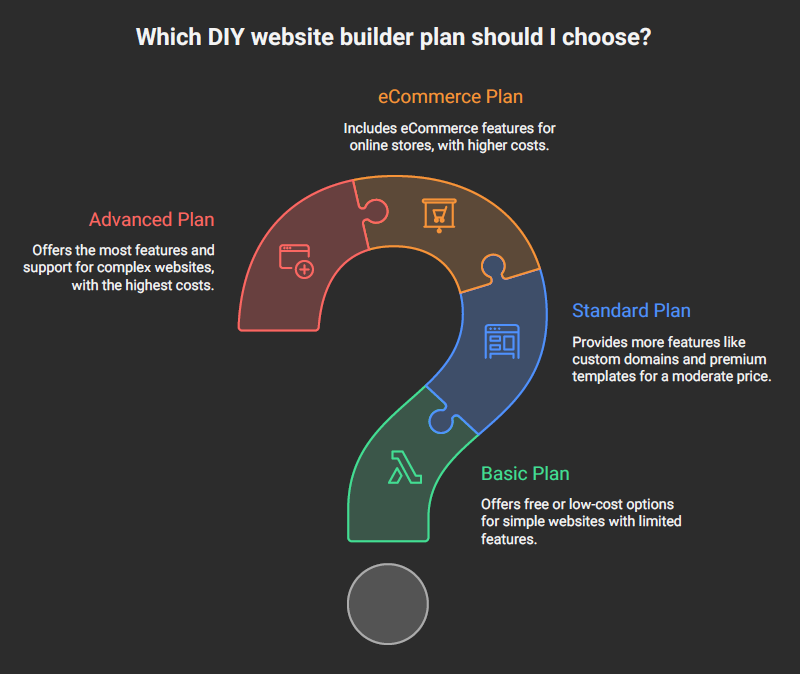
DIY website builders cost between $0 and $300+ per month, depending on the platform, plan tier, and add-ons you need. While basic plans start free or around $10/month, real costs can rise quickly with premium templates, app marketplace tools, eCommerce features, and higher-tier plans that remove ads, allow custom domains, or support online payments.
Here’s a comparison of some of the most popular website builders in terms of cost, plan limits, and key pricing factors:
| Platform | Plan Name | Monthly Price | Core Limits | E-Commerce / Transaction Fees | Notable Add-Ons |
| Wix | Combo / Business Basic | £9 – £20 (promo); £15 – £28 (renewal) | 2GB–20GB storage, 30 min video, no ads | 2.9% + 20p per transaction via Wix Payments | App marketplace (booking, CRM, live chat) |
| Squarespace | Personal / Business / Commerce | £10 – £35 | Unlimited pages, 500MB–unlimited storage | 3% transaction fee on Business plan | Built-in templates, analytics, commerce tools |
| Shopify | Basic / Shopify / Advanced | £25 – £344 | Unlimited products, 2–15 staff accounts | 2.0%–0.5% unless using Shopify Payments | App Store (shipping, email, reviews, etc.) |
| GoDaddy | Basic / Premium / Commerce | £6 – £20 | 100 pages, 1GB–unlimited storage | 2.3%–2.7% per transaction | Marketing suite, bookings, PayPal integration |
| Weebly | Free / Pro / Business | £0 – £20 | Up to 25 products, 500MB–unlimited storage | 3%–0% depending on plan | Square payments, shipping calculator, email tools |
Using a website builder is cost-effective upfront, but your actual cost can double once you factor in plan limits, template access, and third-party tools from the app marketplace.
What Does A Self-Hosted WordPress Site Cost End-to-End?
A self-hosted WordPress site costs anywhere from £150 to £2,500+ per year, depending on how feature-rich, secure, and professionally maintained you want it to be. While WordPress itself is free, most of the actual costs come from the infrastructure and tools needed to run a secure, fast, and functional website.
You’ll need to pay for shared or managed hosting (ranging from £3/month to £30+/month), a domain name (~£10–£20/year), and an SSL certificate (sometimes free, but premium versions can cost £50+).
Add to that a premium theme (~£30–£100 one-time) and essential plugin licenses for SEO, backups, security, forms, and caching (anywhere from £10–£300+ annually). If you’re running an online store, WooCommerce extensions for subscriptions, shipping, and tax automation can increase your total spend significantly.
There’s also the hidden cost of maintenance; you’re responsible for updates, security patches, backups, and performance. While some business owners handle this themselves, many opt for a monthly WordPress care plan or developer retainer, adding another £30–£150/month to their website budget.
When these factors are combined, WordPress costs may start low but often grow based on functionality, usage, and support needs. This cost makes it essential to plan for the total cost of ownership (TCO) from the start.
Need to ask Something else?
Use the form here to send us your question. We’ll reply within one business day.
Send Your Enquiry →How Much Should You Budget for Website Themes and Plugins?
You should budget between £0 and £500+ per year for themes and plugins, depending on whether you’re taking a minimalist or premium path. At the low end, you might use a free theme paired with just a few essential plugins for caching, security, and backups. This setup could cost under £50/year if you’re on shared hosting with basic tools.
A typical WordPress setup for a small business might include a premium theme license (£50–£100), paid SEO and form plugins, a CDN like Cloudflare, a caching plugin like WP Rocket (~£45/year), and a reliable security plugin such as Wordfence Premium (~£100/year). If you’re running an eCommerce site, WooCommerce extensions for things like subscriptions, shipping automation, or multi-currency support can quickly raise the total.
For high-end builds, especially on VPS or managed WordPress hosting, you may stack multiple premium tools and licenses for speed, security, and advanced functionality. It results in a yearly plugin and theme spend of £300 to £500+, especially if multiple sites or licenses are involved.
How Much Does It Cost to Hire A Professional Web Developer (Freelancer Vs Agency)
It costs anywhere from £1,000 to over £100,000 to hire a professional web developer, depending on the complexity of the project, the team you hire, and the expected deliverables. For small websites with minimal functionality, a freelancer might charge £1,000 to £5,000, while an agency typically charges £5,000 to £20,000 for a standard business or brochure site.
If you’re building a custom eCommerce platform, membership site, or complex web app, you can expect costs between £20,000 and £100,000+, especially if the project involves deep integrations or unique user workflows.
The pricing model varies by provider. Some freelancers work on hourly rates (typically £25–£100/hour), while many agencies prefer fixed-price packages or milestone-based contracts.
Larger engagements involve monthly retainers, especially for ongoing support, optimization, or digital growth services. Clarity around the scope of work during the discovery phase helps prevent misalignment and cost creep.
Cost is also driven by what’s included in the scope. A full-service project might cover information architecture (IA), UX and UI design, copywriting, CMS setup (e.g., WordPress, Webflow), custom development, QA testing, and post-launch support. Each of these deliverables adds time and budget. For example, the inclusion of custom animations, multi-language support, or accessibility compliance can stretch both timelines and budgets.
Finally, timelines play a key role in price. A small business site built in 2–4 weeks will cost far less than a multi-phase web project that spans 3–6 months. Rush projects carry a premium, while longer timelines allow for more iterations, testing, and stakeholder input. Especially when working with agencies on performance-based projects under a retainer or service level agreement (SLA).
How Much Should I Budget For Website Marketing, SEO, and Analytics?
For a basic launch-phase marketing stack, you should budget around £300 to £1,500+, depending on whether you’re doing it yourself or hiring a specialist.
At a minimum, every website needs a “minimum viable marketing stack” that includes Google Analytics 4 (GA4) setup, Google Search Console registration, technical SEO auditing (like sitemap, robots.txt, and schema markup), on-page SEO (meta tags, headings, image alt text), and conversion tracking pixels (like Facebook Pixel or Google Ads Tag).
You’ll also need a starter email list tool like MailerLite or ConvertKit (usually free or £10/month for small lists), basic landing pages for lead capture, and perhaps a small PPC budget (£100–£300) to test early campaigns.
Tools like Yoast or RankMath help with schema and on-page optimization, while Hotjar or Microsoft Clarity can support early CRO (conversion rate optimization) by showing how users interact with your pages. If you plan to scale later, having these foundations right will save thousands down the line.
For eCommerce or service-based websites, early investment in SEO setup, list building, and analytics tracking pays off quickly by giving you data to optimize campaigns and convert more visitors into customers.
Can You Build A Website for Free?
Yes, you can technically build a website for free, but it comes with serious trade-offs. Most free website builders like Wix, Weebly, or WordPress.com offer no-cost plans, but they display branded ads, limit functionality, and don’t allow a custom domain, which hurts your credibility.
Storage, design templates, and SEO tools are often restricted behind paywalls, and essential business features like contact forms, payment integration, or pixel tracking require an upgrade.
Even with open-source platforms like WordPress.org, you’ll still need to pay for hosting, a domain name, and basic setup tools, so it’s never truly “free” in practice. A free website works for a personal project or test idea, but for anything professional or customer-facing, budgeting even a small amount is necessary for proper security, branding, and performance.
How Much Does Hosting Really Cost After Promos End?
Most small websites cost between $500 and $7,500 to build, and around $10 to $200 per month to run in 2026, depending on the tools and platform you use. A big factor in running costs is hosting; many providers advertise low promo pricing (like $2.95/month), but these rates often jump to $8–$25/month or more after the first term ends.
Your final cost also depends on whether you’re using shared hosting, VPS, or managed WordPress hosting, and whether you’re stacking on extra tools like backups, caching, security, and email.
Here’s a quick scenario: if you use a DIY builder plan at $29/month, that’s $348/year, plus a domain name at $14/year, giving you a total of $362/year to run a basic site. That doesn’t include plugins, design tweaks, or e-commerce capabilities, which can add anywhere from £50 to £500+ annually.
Is Shopify Cheaper Than WooCommerce Long Term?
No, Shopify is generally not cheaper than WooCommerce in the long run, especially if you’re comfortable managing a WordPress-based site yourself. While Shopify provides an all-in-one package that simplifies setup, its monthly plan fees, app costs, and transaction charges add up quickly over time.
In contrast, WooCommerce is free to install, and while you’ll still pay for hosting, plugins, and payment gateway fees, you have more control over what you spend and when.
Let’s break it down: if WooCommerce hosting is $15/month and you use two premium plugins at $99/year each, your annual cost is roughly $279, plus standard gateway fees. Shopify’s Basic plan at $39/month comes to $468/year, and many essential features, like reviews, custom fields, and upsells, require paid apps that cost $5–$50/month each. These app subscriptions can easily push Shopify’s total cost to $600–$1,200+ annually, depending on your store’s complexity.
The decision rule is simple: choose Shopify for the convenience of a fully managed ecosystem with 24/7 support. Choose WooCommerce if you want greater flexibility, lower costs, and don’t mind managing your own updates, hosting, and extensions.
What’s The Cheapest Way to Launch an E-Commerce Site?
The cheapest way to launch an e-commerce site is to use a free WooCommerce setup, pair it with low-cost shared hosting, and stick to free or essential-only plugins. This path allows you to avoid platform fees and gives you full control over your store, ideal if you’re comfortable with WordPress and can handle basic setup tasks on your own.
You can also use free themes, delay premium tools until needed, and start with basic payment gateways like Stripe or PayPal (which only charge per transaction).
Alternatively, platforms like Shopify offer a simple path with their £5/month “Starter” plan, but the limitations make it suitable only for micro-sellers or side projects.
When every pound counts, WooCommerce paired with budget hosting (as low as £3/month) and careful plugin selection gives you a functioning store for under £100 in your first year, excluding domain and payment fees. As your business grows, you can get a professional agency to develop an e-commerce website for you.