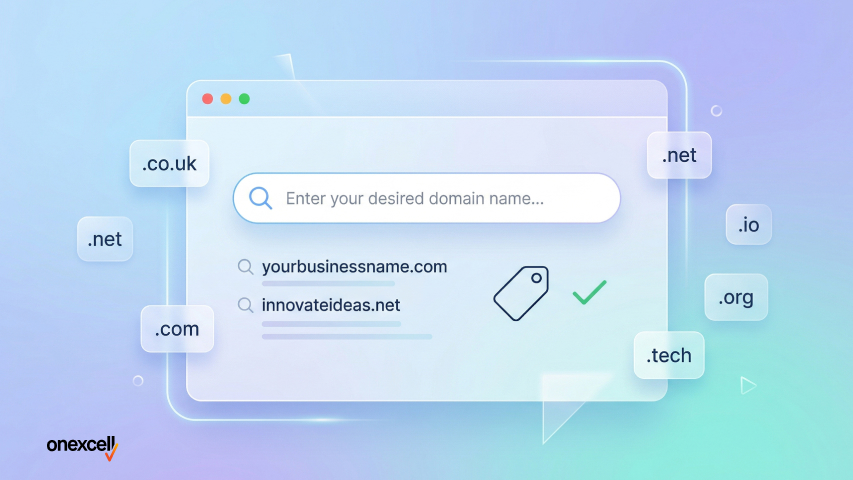
A website domain is the unique name people type into a browser to visit your website. It acts as your online identity. Domains come in different types like .com, .co.uk, .net, .org, and industry-specific options like .tech or .store.
You can buy a domain from registrars like 123 Reg, Namecheap, GoDaddy, or Google Domains, all of which offer simple search tools and quick checkout. Most standard domains cost between £0.99 and £15/year, while premium or special extensions can cost £30 or more.
Common mistakes to avoid when buying a domain include using long or confusing names, ignoring trademark conflicts, adding unnecessary hyphens, and forgetting to enable auto-renewal. It’s also smart to avoid hidden renewal fees and always buy from reputable sources.
What Is a Website Domain Name?
A website domain name is the unique, human-friendly address people type into their browser to visit your website, like example.com. Think of it as your website’s street address on the internet. Without a domain name, users would have to memorize a string of numbers (your site’s IP address) to access your site.
A domain name plays a critical role in your website’s identity, branding, and credibility. It’s what your customers, visitors, or readers will associate with your online presence.
Here’s how a website domain name differs from other terms:
- Domain Name vs. URL: A domain name is part of a URL. For example, in https://www.example.com/page, the domain name is example.com, while the full URL includes the protocol (https), subdomain (www), and path (/page).
- Domain Name vs. Hosting: Hosting is where your website files and data live, like a house. Your domain name is just the address pointing to that house. You need both to have a functioning website.
In short, the Domain Name System (DNS) is the Internet’s naming system that makes your site findable. Without a domain, there’s no easy way for users to reach your web content.
Why Do I Need a Website Domain?
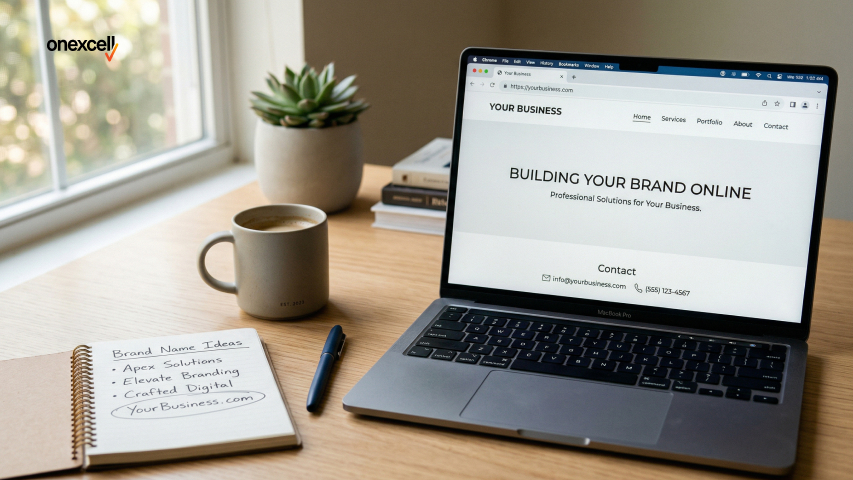
You need a website domain for branding, professionalism, and full control of your online identity. A custom domain like yourbusiness.com instantly establishes credibility and makes your brand look serious compared to using a generic subdomain like your business. wordpress.com. It’s memorable, easier to share, and signals to visitors that you’re invested in your platform.
Having a custom domain also improves your search engine optimization (SEO). Search engines favor branded domains, and a well-chosen name with relevant keywords can help boost your visibility in search results.
Additionally, owning your domain allows you to set up professional email addresses (e.g., info@yourbusiness.com), which enhances trust in client communications.
Most importantly, a domain gives complete ownership and flexibility to your web development goals. Unlike free platforms, where your site can be limited, shut down, or filled with ads, a custom domain puts you in charge of your site’s future and user experience.
What are the Different Types of Website Domain Names?
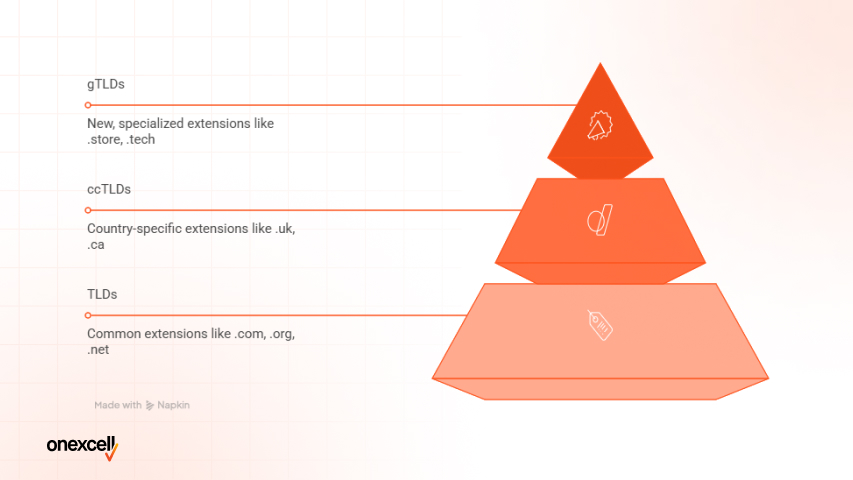
The different types of website domain names include TLDs (Top-Level Domains), ccTLDs (Country Code Top-Level Domains), and gTLDs (Generic Top-Level Domains). These extensions help define the purpose, location, or nature of a website and are managed under the global domain system governed by ICANN.
The following are the different types of website domain names include:
- TLDs (Top-Level Domains): These are the most common domain extensions like .com, .org, and .net. They are not tied to any country and are ideal for global reach or traditional website branding. For example, .com is widely used by businesses, .org by nonprofits, and .net by tech-related entities.
- ccTLDs (Country Code Top-Level Domains): These include country-specific extensions like .ng for Nigeria, .uk for the United Kingdom, or .ca for Canada. They are great for local targeting, SEO, and building regional trust with users. Using a ccTLD signals your website is focused on a specific geographic audience.
- gTLDs (Generic Top-Level Domains): These are new, specialized domain extensions like .store, .tech, .app, .blog, etc. They help websites stand out with creative, brand-relevant names. Perfect for niche markets, startups, or modern brands that want to move beyond traditional endings.
How Do You Choose the Right Domain Name for Your Website?
You choose the right domain name for your website by making it short, memorable, and brand-aligned. It should reflect your business purpose, be easy to type and pronounce, and ideally include relevant keywords without being too generic.
You choose the right domain name for your website by following these steps:
- Keep it short and simple: Short names are easier to type, pronounce, and remember. Avoid long or complex words that users might misspell or forget.
- Use relevant keywords: Including an industry-related keyword can help with SEO and show what your site is about. However, avoid keyword stuffing or making the name sound generic.
- Make it brandable: Choose a name that stands out and fits your brand identity. Tools like Namelix or LeanDomainSearch can generate creative, brand-friendly options.
- Avoid numbers and hyphens: These characters often confuse users and make the name harder to share verbally. Stick with letters only for clarity and professionalism.
- Check domain availability: Use tools like NameMesh or WHOIS to ensure your desired name is not taken. Secure matching social media handles if possible for brand consistency.
- Go for popular extensions (.com, .org): These are widely recognized and trusted by users. However, niche TLDs like .tech or .store can work if they align with your brand.
- Make it future-proof: Choose a name that won’t limit you as your business evolves. Avoid trends or narrow terms that may become outdated.
- Test it with others: Say the name out loud, ask friends for feedback, and check how it looks in a browser. Good names pass the “radio test”—they’re clearly understood when spoken.
Where Can You Buy a Domain Name Online?
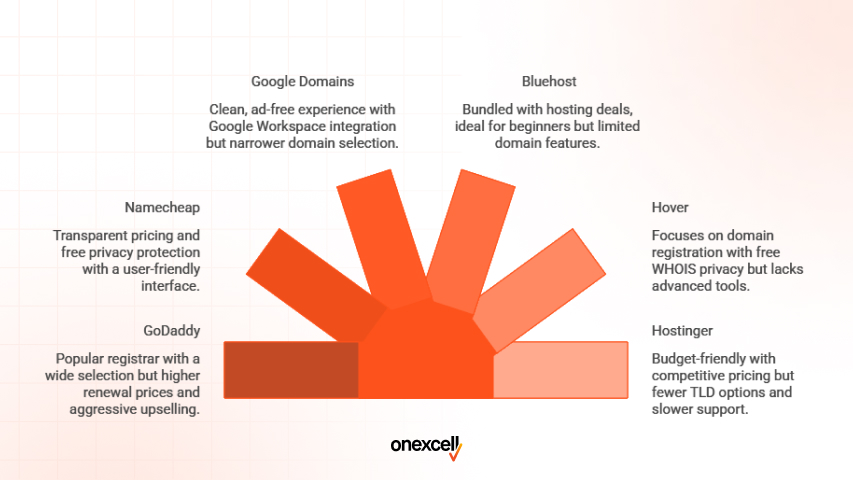
You can buy a domain name online through domain registrars, web hosting platforms, and reseller marketplaces. These include sites like Namecheap, GoDaddy, Bluehost, Google Domains, and others that are accredited to sell and manage domain names.
Places where you can buy a domain name online include the following:
- GoDaddy: One of the most popular and widely recognized domain registrars. GoDaddy offers a massive selection of TLDs and add-ons like hosting, email, and SSL. However, their renewal prices are typically higher than initial offers, and upselling can feel aggressive.
- Namecheap: Known for transparent pricing and free privacy protection. Namecheap’s user interface is clean and beginner-friendly, making domain management easy. Customer support is responsive, but their hosting services may not be as robust as competitors.
- Google Domains (now merged into Squarespace Domains): Offers a clean, ad-free experience with easy integration into Google Workspace. It’s ideal for users already using Gmail or other Google tools. However, its domain selection is narrower, and it’s being phased into Squarespace, reducing standalone options.
- Bluehost: A web hosting company that also offers domain registration, often bundled with hosting deals. This is a great option if you’re starting a website from scratch. That said, domain features are limited compared to full registrars like GoDaddy or Namecheap.
- Hover: Focuses solely on domain registration without bundling extras like hosting, offering a simple, clean interface. It includes free WHOIS privacy on most domains. However, it lacks advanced tools and may not appeal to users who want all-in-one platforms.
- Hostinger: A budget-friendly hosting provider that also allows domain purchases. Their pricing is competitive, and they often run deals for new users. Downsides include fewer TLD options and slower support times.
These platforms are all ICANN-accredited and suitable for both beginners and experienced buyers, but your choice should depend on pricing transparency, privacy features, domain management tools, and customer support quality.
Need to ask Something else?
Use the form here to send us your question. We’ll reply within one business day.
How Do You Check If a Domain Name Is Available?
You check if a domain name is available by using a domain search tool on registrars like 123 Reg, Namecheap, or GoDaddy. Simply type in your desired name, and the system will instantly tell you whether it’s taken or still up for grabs. Before buying a domain, the first step is to check if it’s already taken or available to register.
Here’s how to check if a domain name is available:
- Use a domain checker tool: These tools instantly show if your desired domain is available. Most registrars like 123 Reg, GoDaddy, and Namecheap, have built-in domain checker features.
- Do a WHOIS search: A WHOIS search lets you see who owns a domain and when it expires. It’s useful for checking ownership of already registered domains and finding contact details for potential purchase.
- Try domain name generators: Tools like LeanDomainSearch, NameMesh, or Namelix suggest available options based on your keywords. These help when your first choice is taken, offering fresh combinations to still match your brand.
- Add domain modifiers or hacks: If your ideal name is taken, try using hyphens, local terms (like “UK” or “London”), or clever extensions (e.g. onexcell.co instead of onexcell.com). This helps you find available domains without straying too far from your brand.
- Check availability across TLDs: Sometimes .com is gone, but .co.uk or .net might still be available. Be sure to check across common TLDs to secure the best fit for your audience and SEO.
What’s the Step-by-Step Process to Buying a Domain?
The step-by-step process to buying a domain includes choosing a name, checking its availability, selecting a registrar, and completing the purchase. Once you’ve paid, the domain is registered in your name, and you’ll receive access to manage it through your registrar account.
These are the steps to buying a domain:
- Search for your domain: Use a domain checker on platforms like 123 Reg, Google Domains, or Namecheap. Type in your desired name to see what’s available.
- Select your preferred option: Choose the domain extension that best fits your business (.co.uk, .com, .net). Some registrars will also show premium or alternative options.
- Decide on domain privacy: You’ll be offered WHOIS privacy during checkout. This hides your personal contact info from public records.
- Register your domain: Add the selected domain to your cart. Most platforms will guide you through the domain registration form, including contact details and DNS settings.
- Pay and confirm: Proceed through the domain checkout page and pay via card or other available options. You’ll get a confirmation email once the purchase is complete.
- Manage your domain: Log into your account dashboard to adjust DNS, link email, or point it to your website. This is where you’ll handle renewals and updates.
How Much Does It Cost to Buy a Domain Name?
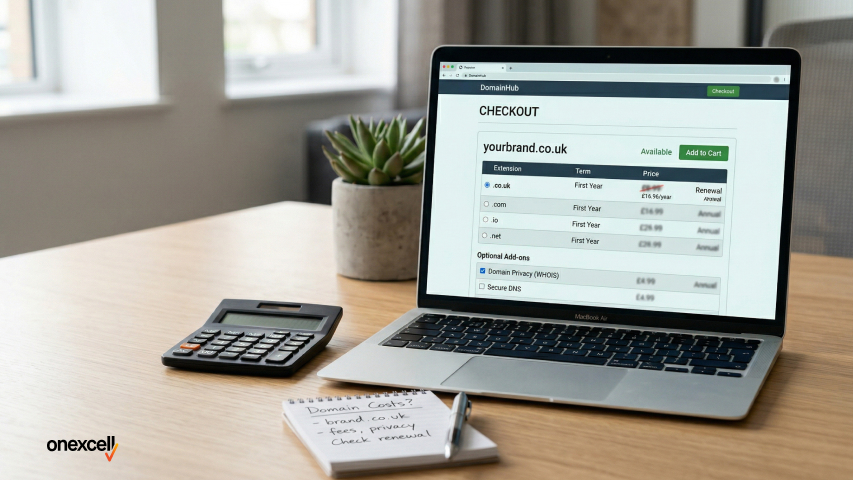
It costs as little as £0.99 to £15 to buy a standard domain name like .co.uk or .com, depending on the registrar and current promotions. More specialised extensions like .ai, .tech, or .store typically start from £30 to £70, with some reaching over £100/year, especially if they’re considered trendy or industry-specific.
Renewal costs are usually higher than the first-year price, ranging from £10 to £40 annually for regular TLDs. If you’re buying a premium domain, a short, highly brandable name that’s already owned, expect prices in the hundreds or even thousands of pounds, since these are sold on a resale marketplace.
Additional domain add-ons may increase your total cost. For instance, domain privacy (WHOIS protection) may cost around £3–£10/year, while extras like DNS hosting, branded email accounts, or enhanced security tools are offered during checkout for an extra fee. Always review your basket before confirming purchase to understand the full pricing breakdown.
Should You Buy Domain Privacy Protection?
Yes, buying domain privacy protection is generally a smart move, especially if you’re registering a domain as an individual or for a small business. When you purchase a domain, your personal details (like name, email, phone number, and address) are stored in the WHOIS database, which can be publicly accessed unless protected.
Without WHOIS privacy, spammers, marketers, or even malicious actors can scrape your contact info and flood your inbox with unwanted emails or phishing attempts. Domain privacy protection replaces your real details with anonymised registrar info, giving you a layer of domain data protection and peace of mind.
The added cost is minimal, usually £3–£10 per year, but the benefit in terms of spam protection and safeguarding your identity is well worth it. If you’re in the UK and value online privacy, it’s a low-cost shield against a high-risk exposure.
Can You Buy a Domain for Someone Else or as a Gift?
Yes, you can absolutely buy a domain for someone else or as a gift, whether it’s for a friend, child, business partner, or client. The process is the same as buying for yourself: you register the domain in your name or theirs, but you should be clear on domain ownership rights and how you plan to hand over access.
If you’re gifting the domain (e.g. for a birthday, new business, or school project), it’s best to register it under your own details initially and then transfer ownership later through the registrar’s control panel.
For client work or agency setups, it’s common to manage the domain on their behalf while keeping them listed as the official owner to avoid disputes.
Whether it’s domain gifting or just securing a name for someone who isn’t tech-savvy, make sure the login details, renewal settings, and transfer rights are clear and secure. This ensures long-term access without issues down the line.
What’s the Difference Between Buying a Domain and Hosting?
The difference between buying a domain and hosting is that a domain is like your website’s street address, while hosting is the land where your website actually lives. When you buy a domain, you’re just securing the name (like onexcell.co.uk). However, for that domain to display a working website, you need web hosting, a server that stores your site’s files and content.
You can buy one without the other: it’s possible to register a domain and connect it later to a separate hosting provider, or to host a site temporarily using a subdomain while your domain is being set up. Hosting providers offer domain services, and vice versa, but they serve two different roles in your website infrastructure.
Your domain points to your hosting via DNS settings, and understanding this link is crucial if you’re managing your own setup or switching providers. Many UK businesses mistakenly assume that domain vs hosting are the same, but getting this distinction right saves future tech headaches.
How Do You Buy a Domain From Someone Else (Second-Hand)?
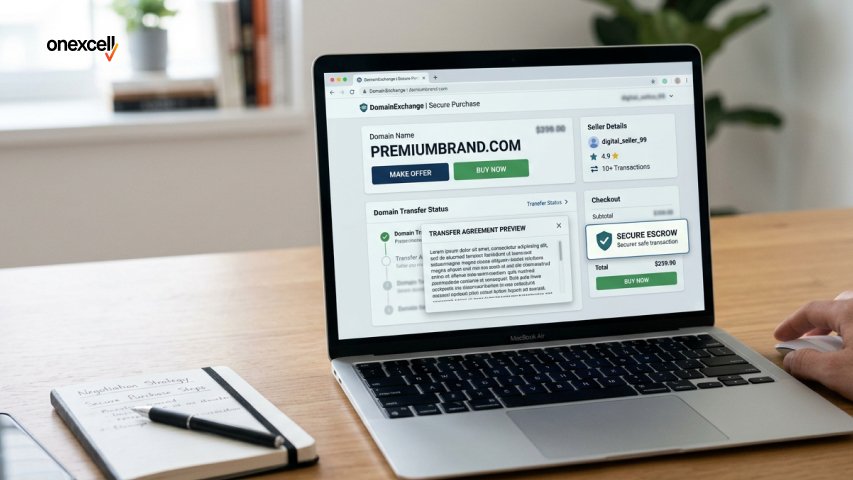
You buy a domain from someone else by first confirming that it’s available for resale and identifying the current owner. Start by running a WHOIS lookup to see registration details, or search on aftermarket domain platforms like Sedo, Dan.com, or GoDaddy Auctions, which list both active and expired domains.
If the domain is listed, you can proceed to buy it directly through the platform or reach out to the owner to negotiate a deal privately. In either case, it’s important to use a trusted escrow service, often provided by the marketplace, to ensure that payment and domain transfer are handled securely.
Prices for second-hand domains can vary dramatically, depending on demand, length, and brandability. Whether you’re buying a used domain for SEO value, branding, or simply because your ideal name is taken, safety and transparency during the transaction are key.
How Do You Transfer a Domain to a Different Registrar?
You transfer a domain to a different registrar by unlocking the domain, requesting an authorisation (EPP) code from your current registrar, and starting the domain migration process on the new provider’s platform. This is a standard procedure governed by ICANN rules, and it usually takes between 5 to 7 days to complete once initiated.
Most registrars don’t charge for transfers, but you’ll usually need to renew the domain for at least one year during the process. It’s crucial to ensure your domain isn’t within 60 days of initial registration or a recent transfer, as these conditions can block movement. Also, double-check DNS settings and email routing before and after the switch to avoid disruptions.
Transferring domains is common for people switching hosts, improving support, or consolidating accounts. Just remember: domain unlock, auth code, and timing are the three key steps.
Can You Buy a Domain Forever?
No, you can’t buy a domain forever. Domains are registered on a contractual basis, with most registrars offering up to 10 years maximum at a time, depending on the extension.
To prevent losing your domain when it expires, it’s wise to set up auto-renewal or calendar reminders to handle the domain renewal process on time. If a domain isn’t renewed by the expiry date, it enters a grace period and can eventually be lost or bought by someone else, disrupting your website and brand.
Managing your domain lifecycle carefully is essential for long-term online presence.
What Are the Common Mistakes to Avoid When Buying a Domain?
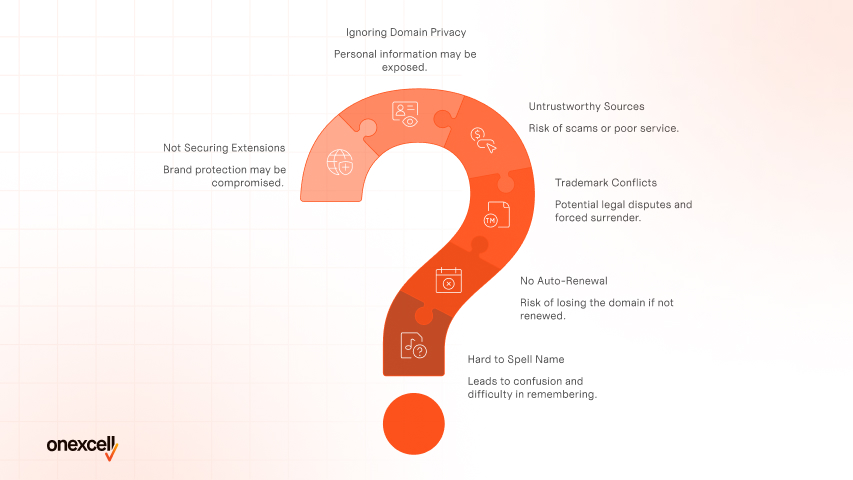
The common mistakes to avoid when buying a domain include choosing a name that’s hard to spell, forgetting to enable auto-renewal, and not checking for trademark conflicts. Others include buying from untrustworthy sources, ignoring domain privacy, and failing to secure relevant extensions like .co.uk or .com to protect your brand.
Here are key domain name tips to help you avoid buying the wrong domain:
- Ignoring trademark conflicts: Failing to check if your domain name is legally protected by another business can lead to legal disputes or forced domain surrender. Always run a basic UK trademark check before finalising. What Are the Common Mistakes to Avoid When Buying a Domain?
- The common mistakes to avoid when buying a domain include choosing a name that’s hard to spell, forgetting to enable auto-renewal, and not checking for trademark conflicts. Others include buying from untrustworthy sources, ignoring domain privacy, and failing to secure relevant extensions like .co.uk or .com to protect your brand.
- Here are key domain name tips to help you avoid buying the wrong domain:
- Ignoring trademark conflicts: Failing to check if your domain name is legally protected by another business can lead to legal disputes or forced domain surrender. Always run a basic UK trademark check before finalising.
- Choosing names that are too long or complex: Overly long names or those with odd spellings are harder to remember, type, and brand. Keep it short, clean, and easy to spell.
- Using hyphens or numbers unnecessarily: While hyphens might help with spacing, they often look spammy and are hard to explain verbally. Domains like “on-ex-cell.co.uk” are more confusing than helpful.
- Overpaying for unnecessary add-ons or premium domains: Some platforms push upsells during checkout. Stick to essentials unless you’ve budgeted for specific extras.
- Choosing names that are too long or complex: Overly long names or those with odd spellings are harder to remember, type, and brand. Keep it short, clean, and easy to spell.
- Using hyphens or numbers unnecessarily: While hyphens might help with spacing, they often look spammy and are hard to explain verbally. Domains like “on-ex-cell.co.uk” are more confusing than helpful.
- Overpaying for unnecessary add-ons or premium domains: Some platforms push upsells during checkout. Stick to essentials unless you’ve budgeted for specific extras.
How Do You Protect Your Domain Name After Purchase?
You protect your domain name after purchase by enabling auto-renewal, locking the domain to prevent unauthorised transfers, and adding two-factor authentication (2FA) to your registrar account.
For added domain protection, activate DNSSEC (Domain Name System Security Extensions) if supported, and regularly monitor your WHOIS data and DNS settings for suspicious changes.
Can You Buy Multiple Domains at Once?
Yes, you can buy multiple domains at once, and it’s often a smart move for brand protection. Most registrars offer a bulk domain search feature that lets you check the availability of dozens of names in one go, making it easy to build a domain portfolio or secure variations of your main brand.
Many businesses use this strategy for defensive domain buying, registering common misspellings, different TLDs (.com, .co, .uk, .net), and geo-specific extensions to stop competitors or bad actors from taking them.
It’s especially useful if you plan to scale, rebrand, or manage multiple projects under a single business umbrella.
What’s the Cheapest Way to Buy a Domain?
The cheapest ways to buy a domain are by opting for extensions like .xyz, .online, or .site, which are often priced between £1 and £5 for the first year. Some platforms also offer free domains such as .tk or .ml, bundled with hosting trials or website builders. However, these often come with restrictions, ads, or ownership caveats.
While these low-cost domains seem attractive, it’s important to check the renewal fees, which can jump to £20 or more after the first year. Always read the fine print during domain promo offers to avoid being locked into expensive renewals or limited services down the line.
Can I Buy a Domain Without a Website?
Yes, you can absolutely buy a domain without a website, and many people do so for strategic reasons. You might purchase a domain to reserve it for future use, set up a professional email address, or simply hold it as a potential asset to resell later.
This is known as domain parking, where the domain sits unused or displays a placeholder page until you’re ready to build on it. It’s a common approach for startups, brand protection, and those who want to lock in a good name before someone else does. Buying a domain for later ensures you don’t lose out on your ideal name while you finalise your plans.
What Happens When my Domain Expires?
Grace period, redemption, and deletion happen when your domain expires, and if you don’t act quickly, you could lose ownership altogether. Most registrars offer a domain grace period of about 15–30 days after expiration, during which you can still renew your domain at the standard rate.
If you miss that window, the domain enters a redemption period where it may still be recoverable, but you’ll likely have to pay a domain redemption fee, often £60 or more. If no action is taken, the domain is eventually deleted and becomes available to the public, meaning someone else could buy it.
To avoid losing control of an expired domain, always enable auto-renewal, keep your card details up to date, and watch out for renewal reminders from your registrar.
What’s the Difference Between? Com and .NET?
The difference between .com and .net lies in their original purpose and perception. .Com stands for “commercial” and is the most recognised, trusted domain globally, while .net was originally intended for “network” services like ISPs and tech infrastructure.
Today, both are widely used, but .com is generally better for branding and credibility, especially for UK businesses aiming for global reach.
Can I Buy a Domain with PayPal or Crypto?
Yes, you can buy a domain with PayPal or crypto. Many domain registrars allow you to buy a domain with PayPal, and some also accept cryptocurrencies like Bitcoin or Ethereum. However, availability depends on the platform; major sites like Namecheap support both, while others like GoDaddy may only offer PayPal.
How Does Buying a Domain Fit Into the Web Development Process?
Buying a domain fits into the web development process because it gives your website a unique address users can access. Once your domain is secured, you can connect it to your hosting provider, set up email, and begin designing and building your site structure.
Read more about how to develop your website after buying your domain on our website development guide.