
You should start a blog website to build your personal brand, share your knowledge, and create an additional income stream. It also helps improve your online presence, attract opportunities, and position you as an authority in your field.
Consider your technical skill level before starting a blog. You also have to determine how much control you want over customization and your long-term monetization goals. Also, evaluate SEO capabilities, scalability, and the level of community or customer support available.
The best platforms to build a blog website include WordPress.org, Wix, Squarespace, Ghost, and Blogger. WordPress.org is ideal for full control and SEO, Wix and Squarespace are beginner-friendly with drag-and-drop tools.
Why Should You Start A Blog Website In 2026?
You should start a blog website in 2026 because of the growing opportunities in personal branding, online monetisation, and organic SEO visibility. Blogging remains one of the most effective ways to showcase expertise, share your story, and attract an audience without relying heavily on paid ads or social algorithms.
Whether you’re a freelancer building a portfolio, a business owner improving your search rankings, a hobbyist sharing your passion, or a student documenting your learning journey, blogging gives you a platform to create lasting digital value.
In a world where trust and knowledge are currency, your blog can become a long-term asset — helping you build authority, attract clients, or even generate passive income through affiliate marketing or digital products.
What Are The Best Platforms To Build A Blog On?
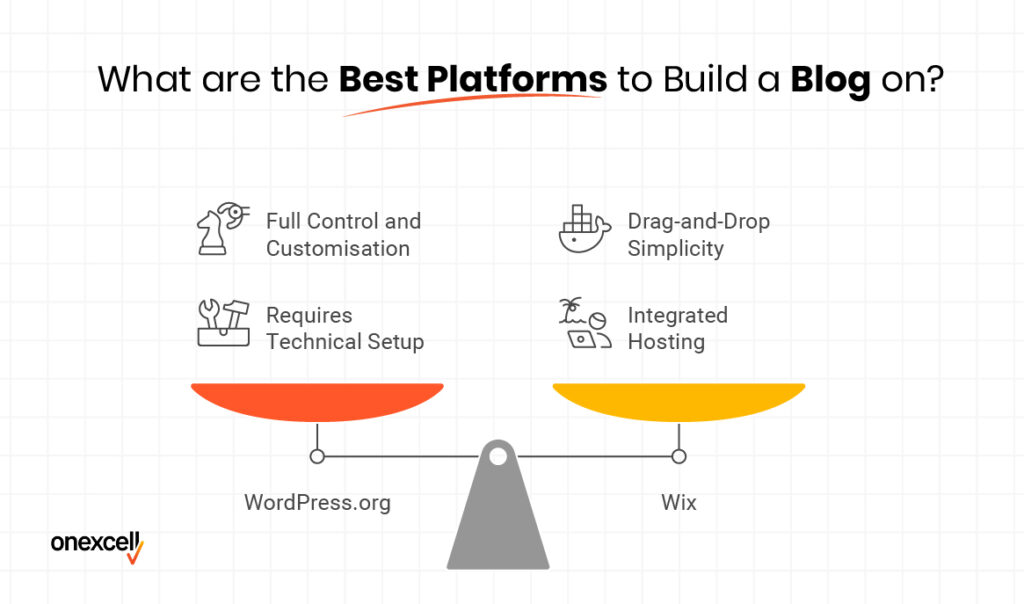
The best platforms to build a blog on include WordPress.org, Wix, Squarespace, Blogger, and Ghost, each offering different levels of control and ease of use. WordPress.org is the most flexible and widely used, while tools like Wix and Squarespace are ideal for beginners who want drag-and-drop simplicity without dealing with code.
The best platforms to build a blog on are explained below:
- WordPress.org (Self-hosted): Offers full control, customisation, and access to thousands of plugins. Ideal for serious bloggers and businesses, but requires separate hosting and some technical setup.
- WordPress.com (Hosted): Easier to start, with no need for external hosting. However, customisation and monetisation options are limited unless you upgrade to a paid plan.
- Wix: Drag-and-drop builder with beginner-friendly templates and integrated hosting. Great for small personal blogs, but lacks deep SEO control and advanced scalability.
- Squarespace: Sleek design options and easy setup with built-in blogging tools. Best for creatives, though it’s more expensive and less flexible than WordPress.
- Blogger: A simple, free platform owned by Google. Good for beginners and hobbyists, but outdated in features and poor in long-term growth potential.
- Ghost: Clean and fast, focused on publishing and memberships. Suitable for professional writers or paid newsletters, but more technical for self-hosting.
- Webflow: Powerful for design flexibility and animations, with CMS blogging tools included. Better for designers than content-first bloggers, and comes with a steeper learning curve.
Need to ask Something else?
Use the form here to send us your question. We’ll reply within one business day.
What Should You Consider Before Choosing A Blog Platform?
You should consider your technical skill level, budget, design flexibility, and long-term goals before choosing a blog platform. The right platform depends on whether you prioritise ease of use, full control for monetisation, or future scalability as your blog grows.
Consider the following before choosing a blog platform:
- Customization needs: If you want full control over your site’s design, layout, and functionality, choose a flexible platform like WordPress.org or Webflow. Drag-and-drop platforms like Wix or Squarespace are easier but may limit how much you can truly personalise your blog.
- Technical skill level: Beginners often do better with hosted platforms like Wix, WordPress.com, or Blogger, which handle updates and hosting for you. More advanced users or those willing to learn will benefit from the control and freedom offered by self-hosted solutions.
- Monetization goals: If your plan includes affiliate marketing, ad placements, digital product sales, or memberships, make sure your platform supports those features. Some free or basic platforms restrict monetisation unless you upgrade to a premium plan.
- SEO and scalability: Platforms like WordPress.org and Ghost are built with SEO and growth in mind, giving you control over metadata, site speed, and URL structures. Others, like Wix or Squarespace, offer decent SEO tools but can become limiting as your blog expands.
- Community and support access: A strong user community and responsive support make troubleshooting much easier. WordPress has the largest ecosystem, but platforms like Squarespace and Webflow also offer dedicated support and learning hubs for users.
Steps By Step Guide To Make A Blog Website
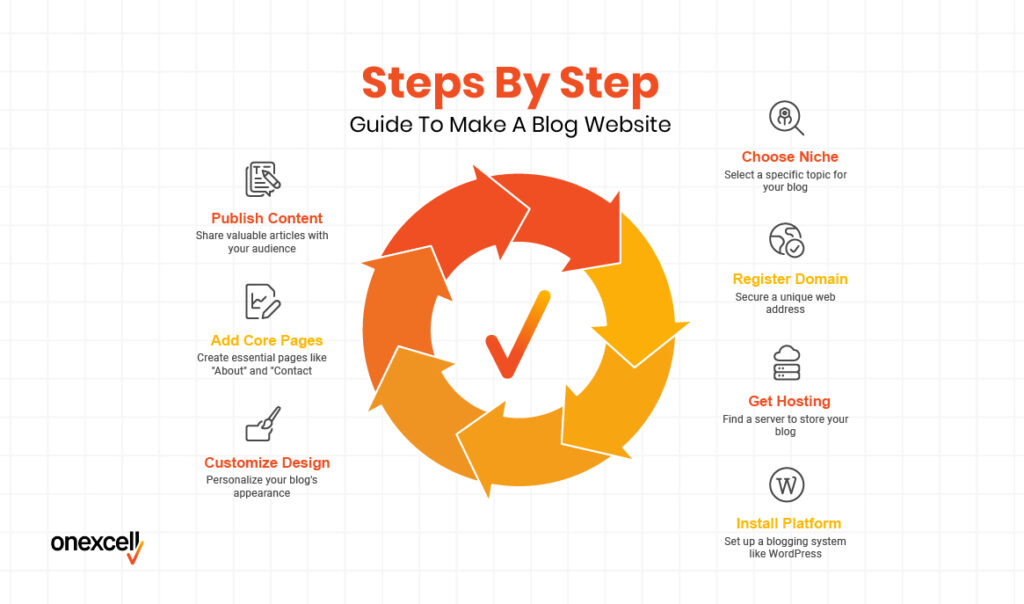
The steps to make a blog website include choosing your niche, registering a domain name, getting web hosting, and installing a blogging platform like WordPress. Once set up, you’ll need to customise your blog’s design, add core pages, and start publishing valuable content for your target audience.
Follow these step-by-step guides to make a blog website:
1. Decide Why You Want To Start A Blog
Before you build your blog, you need a clear purpose. Are you blogging to share your personal thoughts, promote a business Website, attract freelance clients, or earn passive income? Your reason will influence the type of content you create, the platform you choose, and how you market your blog. Without a defined goal, it’s easy to lose direction and motivation later on.
2. Choose A Niche Or Topic For Your Blog
Pick a niche that aligns with your interests, expertise, or long-term goals — whether it’s travel, finance, wellness, tech, or lifestyle. A focused niche helps you stand out in search engines and attract a specific audience. Avoid going too broad; instead, start specific and scale up as you build authority. Choose something you enjoy writing about, as consistency is key in blogging.
3. Pick A Blogging Platform
Select a blogging platform based on your technical ability, design needs, and future plans. WordPress.org is the most popular for flexibility and monetisation, but platforms like Wix, Squarespace, or Blogger are easier for beginners. Consider whether you want full control or simplicity. If you’re serious about growth, self-hosted WordPress is usually the best option.
4. Choose And Register A Domain Name
Your domain name is your blog’s address — e.g., www.yourblogname.com. Choose something short, brandable, and easy to remember. Use domain registrars like Namecheap, Google Domains, or GoDaddy to secure it, and try to go for .com or your country-specific domain (e.g., .co.uk). Avoid numbers or hyphens that make it harder to type or remember.
5. Get Web Hosting For Your Blog
Web hosting is where your blog’s content lives online. If you’re using WordPress.org, you’ll need a hosting provider like Bluehost, SiteGround, or Hostinger. Choose a plan that offers SSL, good speed, backups, and customer support. Hosting is a recurring cost, but it’s essential for site performance and security.
6. Install WordPress (Or Your Chosen Platform)
Most hosting providers offer one-click WordPress installation, making setup quick and easy. If you’re using a different platform, simply follow their guided setup process. Once installed, you’ll get access to your blog dashboard, where you can manage content, design, and settings. From here, you’re ready to start building.
7. Choose And Install A Blog Theme
Your theme controls how your blog looks and feels. Choose a clean, responsive design that matches your niche and is mobile-friendly. WordPress has thousands of free and premium themes (e.g., Astra, Kadence, and GeneratePress). Don’t obsess over design at first — just pick something user-friendly and professional.
8. Install Essential Plugins
Plugins add functionality to your blog — like contact forms, SEO tools, backups, and site speed optimisation. For WordPress users, essential plugins include Yoast SEO or RankMath, WPForms, UpdraftPlus, and LiteSpeed Cache. Avoid installing too many plugins, as they can slow down your site. Focus on tools that improve performance, security, and user experience.
9. Create Core Pages (About, Contact, Etc.)
Every blog needs a few key pages:
- About: Tell visitors who you are and why you blog.
- Contact: Let readers or brands get in touch.
- Privacy Policy / Disclaimer: Especially important if you collect emails or run affiliate links.
These pages help establish trust and professionalism.
10. Customize Your Blog Settings
Head into your blog dashboard and tweak the settings for visibility and structure. Set your homepage (blog feed or static), update your site title/tagline, adjust permalinks for SEO-friendly URLs, and disable comments if necessary. Small settings like time zone, date format, and profile info also help polish your setup. This step ensures your blog functions properly behind the scenes.
11. Write And Publish Your First Blog Post
Start by creating a helpful or interesting article relevant to your niche. Use headings, short paragraphs, images, and a clear call to action (CTA). Don’t worry about perfection — just publish and improve as you go. The key is to get your content out there and start building momentum.
12. Add A Navigation Menu And Widgets
Create a top menu linking to your core pages and key blog categories. Use widgets to add useful extras like a search bar, recent posts, newsletter signup, or social media links in your sidebar or footer. Clear navigation improves user experience and keeps readers on your site longer.
13. Set Up Google Analytics And Search Console
Use Google Analytics to track your traffic and Google Search Console to monitor your blog’s visibility in search results. Both are free and essential for understanding your audience, spotting SEO issues, and measuring growth. Installing them early gives you valuable data from day one.
14. Promote Your Blog On Relevant Platforms
Once your blog is live, start sharing it across social media, online communities, and email lists. Use platforms like Twitter (X), LinkedIn, Pinterest, or Reddit, depending on your niche. Join relevant forums or Facebook groups, and engage with others — don’t just drop links. Promotion is key to growing your audience.
15. Maintain And Grow Your Blog Consistently
Blogging is a long-term game. Keep your site updated, publish regularly, respond to comments, refresh old posts, and track performance. Explore monetisation, SEO, collaborations, and email marketing as your blog grows. Consistency builds trust, visibility, and authority.
How Do I Monetize My Blog?
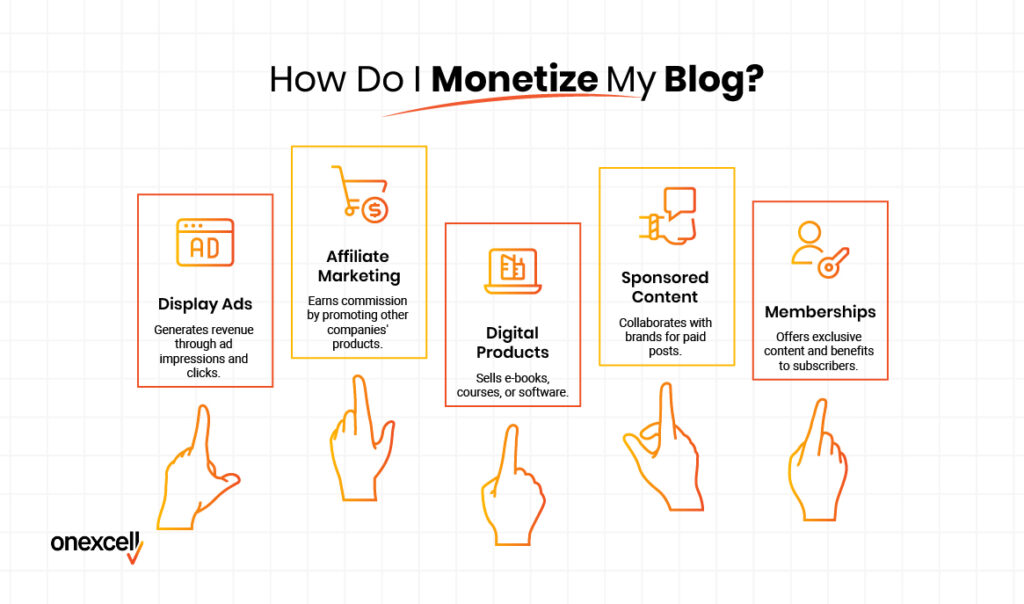
You monetize your blog by using display ads, affiliate marketing, selling digital products or services, and offering sponsored content or memberships. Each method can be layered or combined depending on your niche, audience size, and growth strategy.
Here are ways to monetize your blog:
1. Display ads (e.g., Google AdSense or Ezoic) allow you to earn money based on traffic volume. Every visitor or click brings small earnings that scale over time. It’s a good passive option, but it works best when your blog has steady, high traffic.
2. Affiliate marketing involves recommending products or services and earning a commission on sales through your referral links. For example, a tech blogger might promote hosting services or gadgets; a finance blogger might promote trading apps. This method works well if you build trust with your readers.
3. Digital products like eBooks, templates, online courses, or exclusive content can generate higher-margin income. Once created, these products can be sold repeatedly, making them a powerful long-term revenue stream.
4. Sponsored posts are paid collaborations with brands that want access to your audience. If your blog grows in authority, companies may pay to have their product featured or reviewed.
Finally, email newsletters, membership tiers, or paywall content are advanced strategies that turn loyal readers into paying subscribers. This is great for niches like personal web development, finance, or health, where deep content is in high demand.
Can I Start A Blog Website For Free?
Yes, you can start a blog website for free using platforms like WordPress.com, Blogger, or Wix, which offer free plans with basic features. However, these usually come with limitations such as a subdomain (e.g., yourblog.wordpress.com), platform branding, no custom plugins, and minimal control over monetisation.
You also won’t get a custom domain, and your blog may appear less professional, especially if you plan to grow or make money. Free blogs are fine for hobbyists or learners, but if you’re serious about building a brand, it’s better to upgrade as soon as you’re able.
What Is The Best Blogging Platform For Beginners?
The best blogging platforms for beginners are WordPress.com, Wix, and Blogger. These platforms are beginner-friendly, offering simple drag-and-drop interfaces or easy setup guides that help you get started without needing to write a line of code.
WordPress.com is popular for its balance between customization and ease of use, while Wix stands out with its design flexibility and templates. Blogger, owned by Google, is extremely simple to use and integrates well with other Google tools, though it offers less creative control.
If you want to test the waters and start blogging fast, any of these options can help you launch within minutes.
How Much Does It Cost To Make A Blog Website?
The cost to make a blog website ranges from completely free to over $500 annually, depending on your goals and setup. If you go with a free platform like Blogger or WordPress.com (free plan), your only limitation is customization, branding, and monetization.
A more professional route, using a web development agency, WordPress.org with a custom domain and paid hosting. usually costs around $50–$100/year for hosting, $10–$20/year for a domain, and optionally $30–$100/year for themes or plugins.
Additional costs may include email marketing tools, SEO software, or premium designs if you’re building a serious blog brand.
Do I Need Hosting To Start A Blog?
Yes, you need hosting to start a blog, but only if you’re using a self-hosted platform like WordPress.org. Hosting is what stores your WordPress website files and makes them accessible online. If you’re using platforms like WordPress.com, Wix, or Blogger, hosting is built in, so you don’t need to buy it separately.
However, using your own hosting gives you more control, better performance, and freedom to monetize or scale your blog fully.
How Long Does It Take To Launch A Blog?
It takes a few hours to a few weeks to launch a blog, depending on how prepared you are and the platform you choose. If you already have your content, domain name, and design assets ready, setting up a blog on platforms like WordPress or Wix can take just a single day.
However, if you’re building a self-hosted blog from scratch, planning your niche, writing posts, customizing the theme, and configuring plugins or SEO tools, you might spend one to three weeks.
The key is not speed, but launching with quality content and a solid structure that supports your long-term goals.
Can I Make Money With A Blog In 2026?
Yes, you can make money with a blog in 2026, but it requires strategy, consistency, and time. Blogging today isn’t just about writing; it’s about building authority, growing traffic, and monetizing through ads, affiliate marketing, digital products, or services.
With the right niche and SEO-focused content, blogs can generate passive income over time. However, success depends on your effort, value to readers, and your ability to adapt to evolving platforms.