
Forex web development is the process of building websites, trading dashboards, and user portals for online forex trading platforms. It combines general web development with financial logic, real-time data handling, and secure API integrations.
The skills you need to become a forex web developer include front-end skills like HTML, CSS, and JavaScript frameworks (React or Vue), backend knowledge (Node.js, PHP, or Python), and API integration.
Common tools and technologies used for forex web development include MT4/MT5 Web APIs, liquidity provider integrations (via FIX protocol), and charting libraries like TradingView. Admin panels are often built with Laravel, while client dashboards use React or Vue connected to REST APIs.
Start by learning front-end development basics, then move on to backend logic and APIs. Practice integrating real-time data, build a sample forex portal, and learn about security and compliance before deploying your project.
What Is Forex Web Development?
Forex web development is the specialized process of designing and building websites, platforms, and dashboards used in the online currency trading space. Unlike general web development, this niche combines traditional front-end and back-end programming with real-time financial data integration, user account management, and strict security and compliance protocols.
What sets it apart is the need to handle sensitive data (like personal and financial information), execute trades with minimal latency, and follow regulatory standards such as KYC (Know Your Customer) and AML (Anti-Money Laundering).
A Forex developer doesn’t just create landing pages—they build functional systems like client dashboards, account funding tools, price feed displays, and integration with trading platforms like MT4/MT5 or cTrader.
What Skills Do You Need to Become a Forex Web Developer?
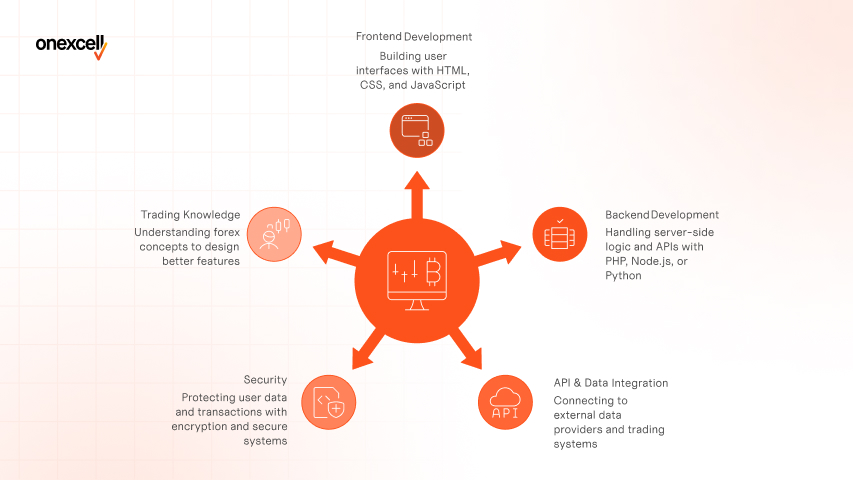
The skills you need to become a forex web developer include front-end development, back-end logic, secure API integration, and financial data handling. You’ll also need to understand user authentication, real-time systems, and compliance standards like KYC/AML to build platforms that are both functional and legally sound.
The following skills are necessary to become a forex web developer:
- Frontend (HTML, CSS, JavaScript, React or Vue):
Frontend is what users see and interact with — the charts, dashboards, forms, and account pages. HTML structures the content, CSS styles it, and JavaScript adds interactivity like price tickers and dropdowns. Frameworks like React or Vue help you build complex UIs efficiently with reusable components. In forex platforms, the frontend needs to be responsive, fast, and able to update live data in real-time without full page reloads. - Backend (PHP, Node.js, or Python for logic and APIs):
Backend handles the server-side logic, like executing trades, user authentication, and saving trade history. Languages like PHP (popular with WordPress), Node.js (great for real-time apps), or Python (clear syntax, good for data) are often used. You’ll use these to build secure APIs and manage business logic like verifying KYC documents or calculating profits. In forex, low-latency and secure backend handling is critical to avoid lags in order execution. - APIs & Data (REST APIs, FIX protocol basics, WebSocket for real-time data):
APIs let your website communicate with external forex data providers and trading systems. REST APIs are the most common for fetching data like exchange rates or economic news. WebSockets are used for real-time streaming, like live price feeds that update every second. The FIX protocol is the financial industry’s messaging standard, and while advanced, understanding the basics helps if you’re integrating directly with brokers or liquidity providers. - Security (HTTPS, data encryption, secure login systems):
Security is non-negotiable when building forex platforms; you’re handling money, personal data, and trades. You must use HTTPS to encrypt all user communications and protect data from being intercepted. Learn to build secure login systems using hashed passwords, 2FA, and session management. You’ll also need to understand how to prevent common attacks like SQL injection or XSS (cross-site scripting). - Trading Knowledge (Spreads, Pips, Orders — not mandatory but helpful):
While you don’t need to be a trader, understanding the basic concepts of forex will help you design better features. Know what a pip is, how a spread affects profitability, and what types of orders (market, limit, stop) traders use. This knowledge helps you structure intuitive user flows, for example, explaining slippage during high-volatility times. It also enables more realistic testing and communication with stakeholders or clients in the trading space.
What Tools and Technologies Are Commonly Used in Forex Platforms?
The tools and technologies commonly used in forex platforms include charting libraries, API integrations, secure hosting environments, and real-time data protocols. Developers work with tools like TradingView for charting, WebSockets for live feeds, and AWS or DigitalOcean for scalable infrastructure, ensuring speed, security, and high uptime.
The tools and technologies commonly used in forex platforms are explained below:
- MT4/MT5 Web API: MetaTrader’s Web API allows you to connect your custom frontend with MT4/MT5 trading platforms. It handles trade execution, user management, and account data retrieval, but requires proper authorization and technical documentation from brokers.
- Liquidity Provider APIs (FIX protocol): Liquidity providers use the FIX protocol to stream real-time bid/ask prices and process trades. While complex, it’s essential for building a live trading experience and usually requires low-latency infrastructure.
- Admin Dashboards (custom CMS or Laravel-based panels): Backend tools like Laravel are often used to build secure admin dashboards that manage user data, transactions, and KYC documents. These dashboards also support role-based access and integrate analytics, support tickets, or compliance logs.
- Charting tools (TradingView, Highcharts): TradingView and Highcharts are embedded JavaScript charting libraries that visualize price movements, technical indicators, and trading volumes. They’re highly customizable and support real-time updates via WebSocket or API feeds.
- Client portals (React dashboards + REST API): React is commonly used to build user dashboards where traders can monitor portfolios, execute trades, and access analytics. These frontends usually pull data from REST APIs and need to handle real-time updates securely and efficiently.
Step-by-Step Roadmap to Learn Forex Web Development
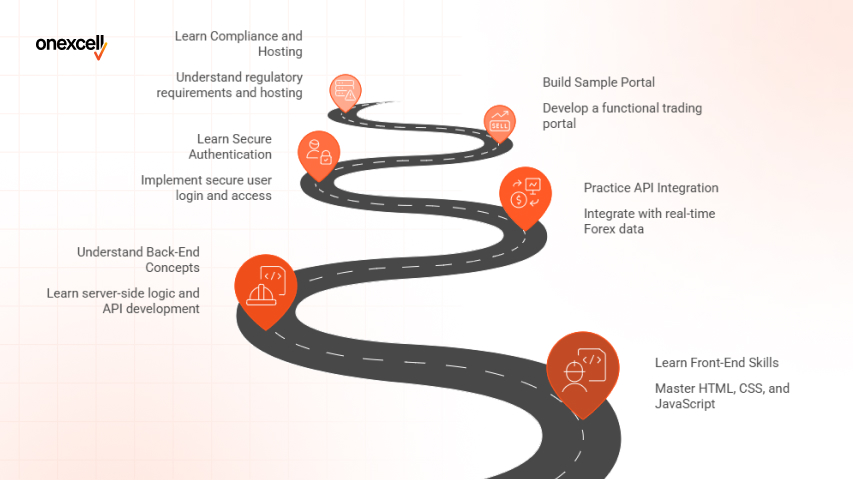
The step-by-step roadmap to learn Forex web development starts with mastering basic front-end skills, understanding backend logic, and learning how to work with APIs. You’ll also need to explore Forex-specific architecture, security protocols, and build a functional trading portal to gain practical experience.
Follow these steps to learn forex web development:
Step 1: Learn the Basics of Front-End Development
Start with the foundational languages of the web: HTML, CSS, and JavaScript. These let you build the structure, style, and interactivity of your website. Learn to create responsive designs using CSS frameworks like Bootstrap or Tailwind CSS.
For a modern feel, practice with component-based JavaScript libraries like React.js or Vue.js, which are great for building client dashboards.
Step 2: Understand Back-End Development Concepts
Backend development powers the logic behind the scenes. Learn a server-side language like Node.js, PHP, or Python, and understand how they process data, manage sessions, and serve content.
Explore database management with tools like MySQL, MongoDB, or PostgreSQL. You’ll also need to know how to build secure APIs and manage server requests, especially for sensitive trading data.
Step 3: Practice API Integration with Real Data
Forex platforms rely heavily on real-time data from APIs. Start by practicing with RESTful APIs, fetching and displaying live currency exchange rates using sources like Forex.com API, Alpha Vantage, or Twelve Data.
Later, graduate to real-time protocols like WebSocket for streaming data such as price ticks. This step is crucial for building dashboards and trading widgets.
Step 4: Learn Secure User Authentication
Security is critical in financial platforms. Learn how to implement user registration, login, and session management securely using tools like JWT (JSON Web Tokens) or OAuth. Add two-factor authentication (2FA) for additional security. Understanding secure password storage, HTTPS, and CSRF protection will help you meet compliance standards.
Need to ask Something else?
Use the form here to send us your question. We’ll reply within one business day.
Step 5: Build a Sample Forex Client Portal
Apply everything you’ve learned by building a client dashboard. Include features like account balance, transaction history, charts, and live feeds. You can use React for the front end, connect to APIs for market data, and build backend logic to simulate trades. This portfolio-ready project will solidify your understanding.
Step 6: Learn About Compliance and Hosting Requirements
Forex platforms must follow financial laws like KYC (Know Your Customer) and AML (Anti-Money Laundering). Learn how to store user data securely, integrate identity verification (like Jumio or Sumsub), and stay compliant.
Finally, study secure hosting options like VPS or dedicated servers, and ensure SSL certificates and uptime monitoring are in place.
Can You Learn Forex Web Development Without a CS Degree?
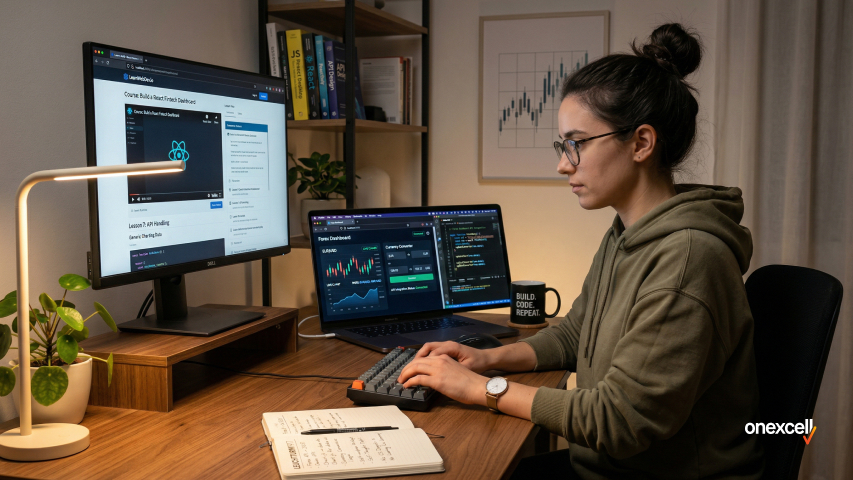
Yes, you can absolutely learn forex web development without a computer science degree. Many successful developers in fintech are self-taught through hands-on experience, real-world projects, and consistent learning.
Start by building mini forex tools (like a simple converter or dashboard), study open-source brokerage platforms, and join communities on GitHub or Dev.to. Platforms like FreeCodeCamp, YouTube, and paid bootcamps like Udemy or Le Wagon offer structured alternatives if you need guidance. The key to web development is consistent practice, not formal credentials.
Best Resources to Learn Forex Web Development
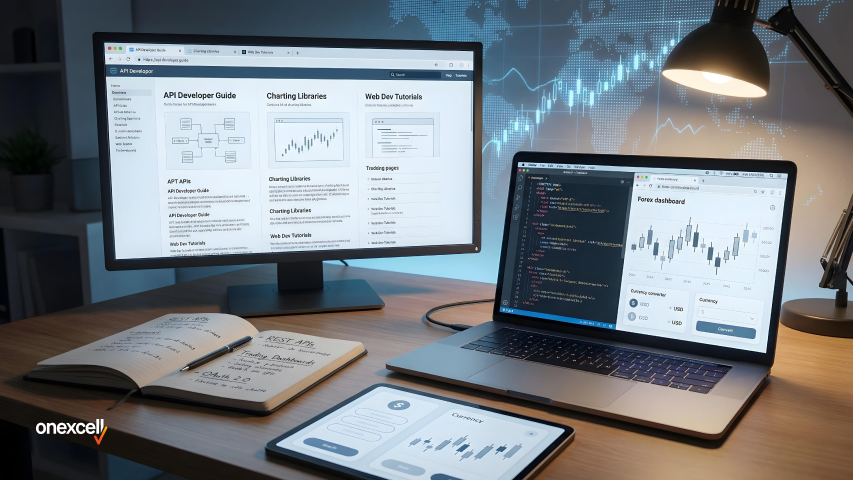
The best resources to learn forex web development combine general web development education with finance-specific knowledge. Start with platforms like freeCodeCamp, MDN Web Docs, and W3Schools to solidify your HTML, CSS, and JavaScript skills. Then, dive into more advanced backend and security lessons on Udemy, Coursera, or Frontend Masters.
For forex-specific learning, explore documentation from MetaTrader (MT4/MT5) APIs, TradingView’s charting library, and FIX protocol guides. Additionally, study open-source forex dashboards on GitHub, join forums like Stack Overflow, and follow niche fintech blogs to stay updated on trends, security standards, and integration practices.
Do I need to learn the FIX protocol to build Forex platforms?
No, you do not need to learn the FIX protocol to build forex platforms, but it helps. While most front-end and client portals don’t require FIX, it’s essential for backend developers working on liquidity integrations and trade execution.
If you’re building a broker or handling server-side logic, basic knowledge of FIX (Financial Information eXchange) is valuable.
What’s the difference between a Forex CMS and a custom-built site?
A Forex CMS is pre-built and faster to launch, while a custom site offers full control. CMS platforms like Trader’s Room or Soft-FX solutions are plug-and-play but limited in flexibility. Custom-built sites require more development time but allow personalized workflows, deeper integration, and better long-term scalability.
How long does it take to learn enough to build a simple Forex site?
It takes roughly 3 to 6 months with consistent learning to build a simple forex site. If you already know basic HTML/CSS, you can focus on API integration, security, and dashboard design. A basic forex web design client portal with account access, trading stats, and news feeds can be built within that time using tools like React and Laravel.
Is it safe/legal to build your own Forex website?
Yes, it is safe to build your own forex website, but legality depends on usage and location. You can legally build a forex site for personal use, education, or as a client portal. However, offering brokerage services or processing trades may require regulation and licenses depending on your jurisdiction.
Can I freelance in this niche?
Yes, you can freelance in the forex website development niche; it’s a growing niche. Many brokers, prop firms, and fintech startups need freelance developers for dashboards, integrations, and front-end builds. A solid portfolio with real-time apps, API projects, or admin panels can land you high-paying clients in this field.